
In brief
- Page Pulse (getpagepulse.io) is a simplified web page analytics tool, an alternative to GA4.
- At least 5 other tools share a similar name: we help you avoid picking the wrong one.
- AI insights, visual funnels, heatmaps and cross-tracking with GA4 / Search Console.
- Free plan forever, paid plans from $29 to $129/month, unlimited traffic everywhere.
- Setup takes under 2 minutes, no specific technical skill required.
You search for "Page Pulse" and land on at least five different tools sharing that name, on top of a Google Analytics 4 most marketers already find too complex. The result: no way to tell which one to install, or even whether it matches what you're looking for. This article clarifies what the Page Pulse web page analytics tool (getpagepulse.io) actually is, covers its features and pricing, and separates it from other tools sharing a similar name so you don't get it wrong. Real use cases and a verdict included.
What is Page Pulse?
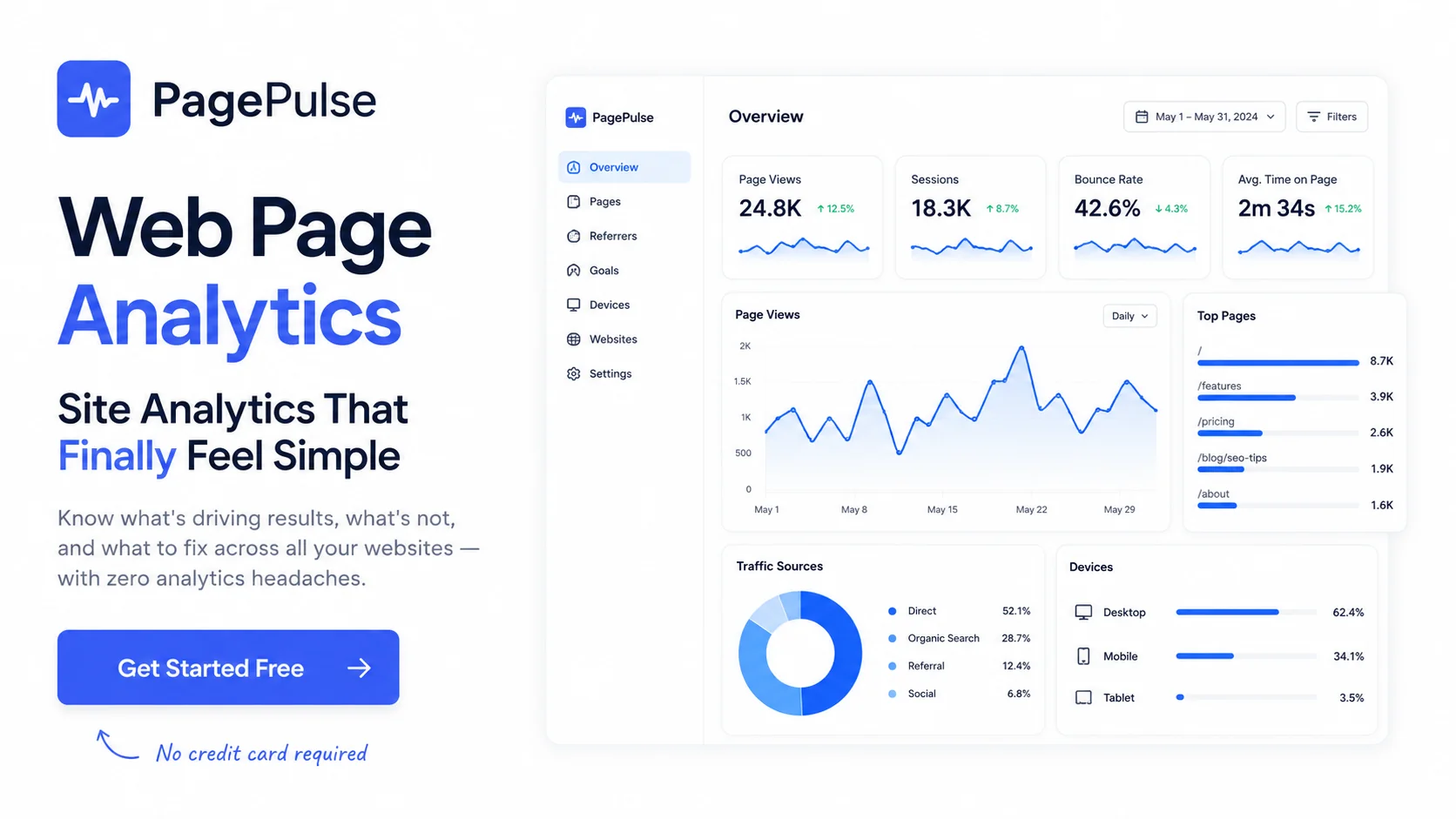
Page Pulse is a web page analytics platform built to give clear answers without complex dashboards. It helps founders and marketers track visitor behavior, visualize conversion funnels and spot performance changes over time, without the heavy setup of a tool like GA4.
Unlike Google Analytics 4, Page Pulse relies on a single dashboard per site (or multi-site for agencies), insights generated automatically by AI instead of raw tables to interpret, and a lightweight tracking script installable in minutes.
Several tools are called "Page Pulse"
This is the main trap when searching this name: several unrelated products share an identical or very similar name. Here's how to avoid picking the wrong tool.
| Product name | Category | Official site |
|---|---|---|
| Page Pulse (this article) | Web page analytics + AI insights | getpagepulse.io |
| PagePulse | API and web application monitoring | pagepulse.co |
| Page Pulse | Automatic annotations for page changes | pagepulse.dev |
| PagePulse - SEO Audit | Chrome extension for on-the-fly SEO and technical audits | Chrome Web Store |
| WebsitePulse | Server and network uptime monitoring | websitepulse.com |
| WebPulse Analytics | A competing analytics platform with a similar name | webpulse-analytics.com |
The rest of this article covers only the first one on the list: the analytics platform getpagepulse.io, the one featured in our Page Pulse catalog listing.
Key features
Automatic AI insights
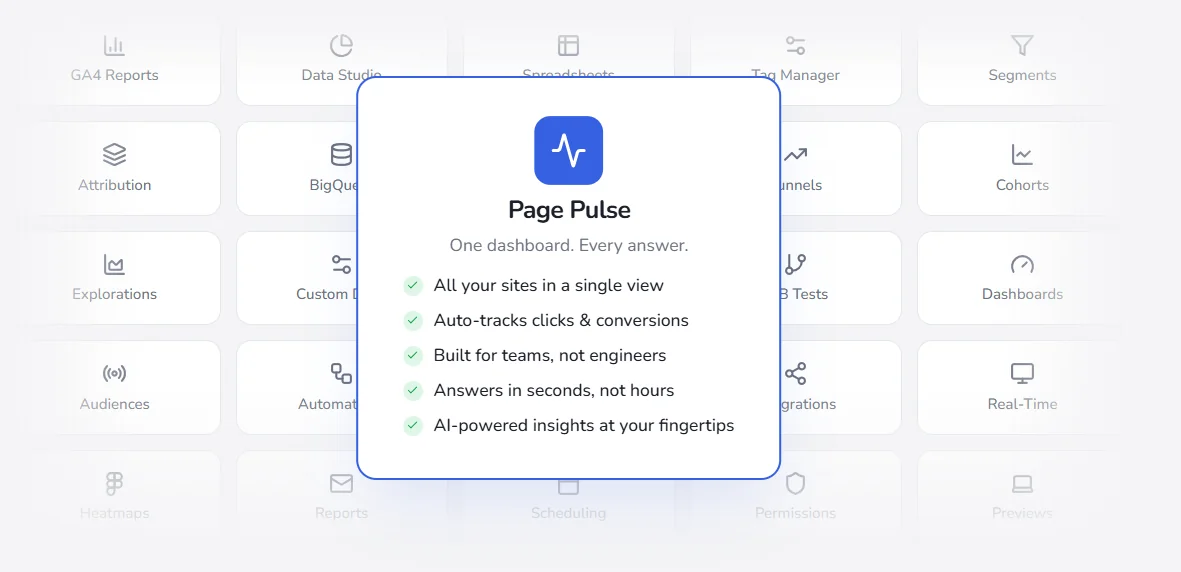
Instead of showing raw numbers to interpret, Page Pulse automatically explains performance shifts: why conversion rate moved, which page is underperforming, what to fix first. It's the most cited feature among users.
Visual funnels and conversion tracking
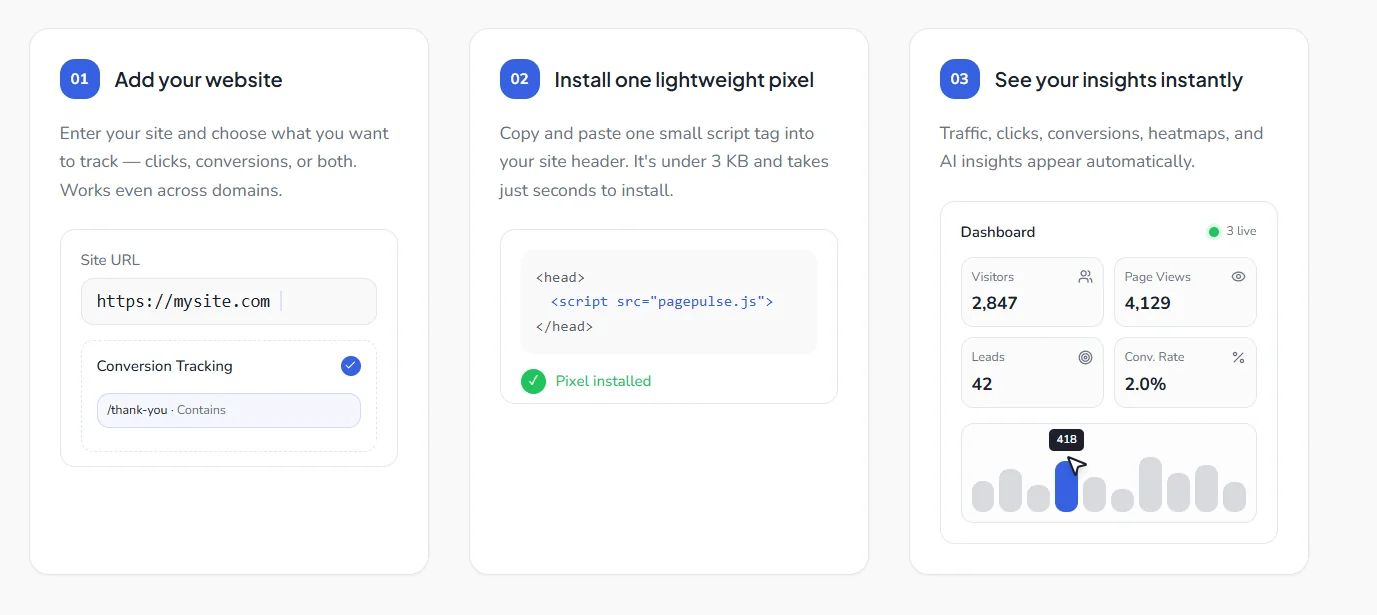
Click and conversion tracking happens automatically, with no manual event setup. Conversion funnels are visualized point-and-click, with custom goals per URL (e.g. a thank-you page containing "/thank-you").
Cross-tracking with Google Analytics and Search Console
Page Pulse overlays changes made to the site with GA4 and Google Search Console metrics, connecting a page change to its actual impact on traffic and conversions.
Heatmaps and browser extension
Click, scroll and engagement heatmaps from the Growth plan onward, complemented by technical and SEO audit tools to check text or structure changes on any URL.
Setup in under 2 minutes
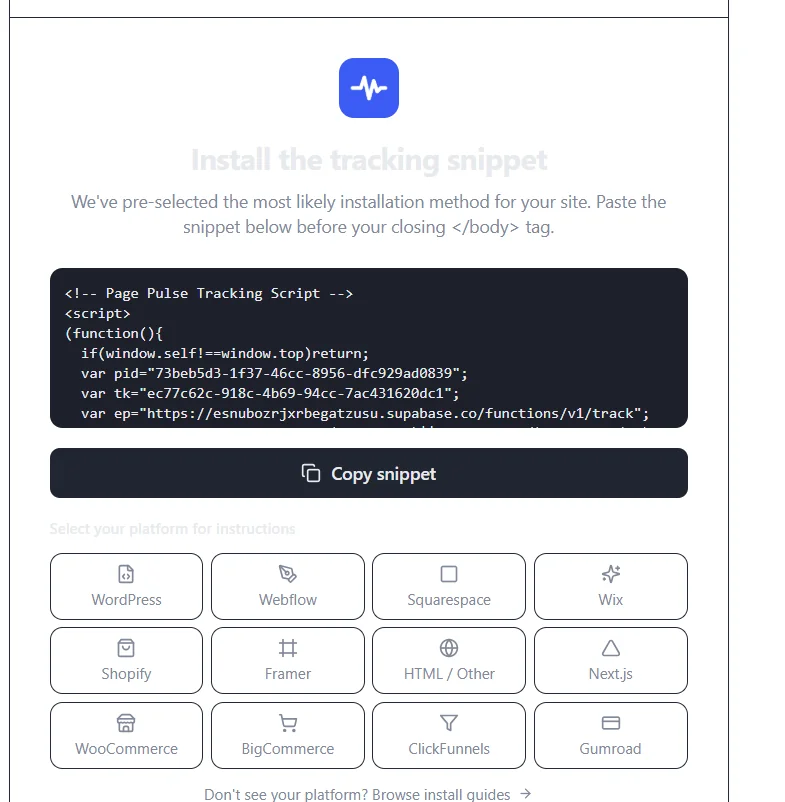
A single script to paste before the </body> tag, with dedicated instructions per platform (WordPress, Shopify, Webflow, Next.js...). No deep technical skill required.
Real use cases
Five teams using Page Pulse day to day, with measurable results.
- Growthly (marketing): team self-sufficient on reporting in 1 day, versus never under GA4. "Simple, fast and actually useful," says Jessica Martinez, Head of Marketing.
- NovaBrand (e-commerce): 18% conversion lift in one week thanks to the AI page grader, which turned the homepage grade from D to B+. Priya Sharma, Growth Lead.
- Stackflow (growth-stage): 3 hours a week saved on reporting, by sharing one dashboard link instead of manually exporting GA4 data. Marcus Chen, CMO.
- LaunchPad SaaS (agency): 12 client reports generated in under 20 minutes, versus hours of CSV exports per account. Sam Kowalski, founder.
- Content & media: real-time visibility into which articles drive signups, versus GA4 reports buried under menus. Rachel Nguyen, Digital Marketing Manager.
Page Pulse pricing
| Plan | Price/month | Includes |
|---|---|---|
| Free | $0 | 1 page, unlimited traffic, 14 days retention, 15 AI insights/month |
| Starter | $29 | 2 pages, 90 days retention, conversion tracking, 100 AI insights/month |
| Growth | $79 | 5 pages, 2 heatmaps, 1 year retention, page notes, 250 AI insights/month |
| Pro | $129 | 10 pages, 5 heatmaps, 3 years retention, cross-domain conversions, 750 AI insights/month |
Common to every plan: traffic is unlimited, pricing depends only on the number of tracked pages. Full detail is on the Page Pulse catalog listing.
Page Pulse vs Google Analytics 4
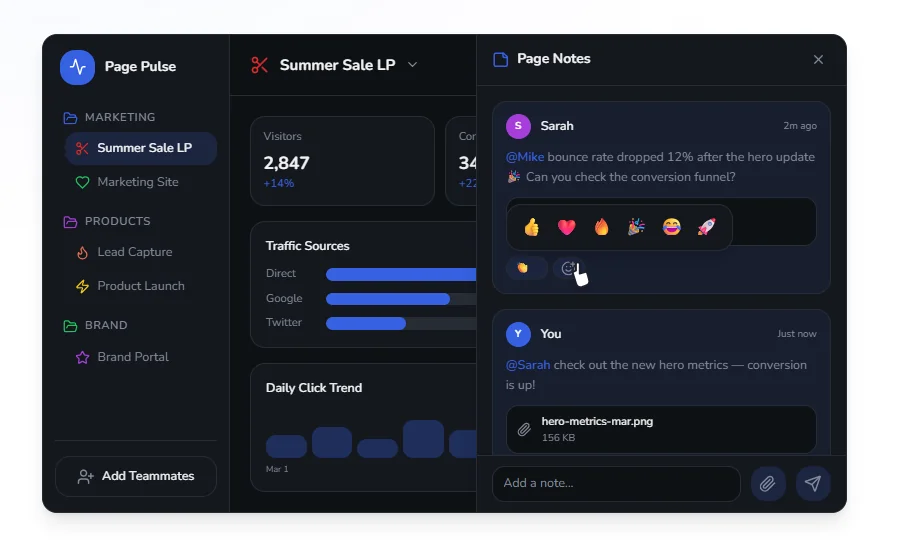
GA4 remains more complete on paper: BigQuery exports, advanced explorations, custom segments. But that depth comes at a cost: a marketing team without dedicated training often takes months to become self-sufficient with it, as the Growthly case above shows. Page Pulse takes the opposite approach: fewer settings, direct answers, at the cost of less granular reporting for very advanced needs (data warehouse, complex attribution models).
Our take: who is Page Pulse for?
Page Pulse suits solo founders, marketers and small agencies who want fast answers without spending hours configuring or interpreting GA4. The free plan forever (1 page) lets you test without commitment, and paid plans stay readable up to 10 tracked pages. Browse the rest of this category in the Analytics catalog.
On the other hand, a data team already running BigQuery, custom multi-touch attribution models, or needing bulk exports will still be better served by GA4 as a complement, rather than a pure replacement.
Try Page Pulse for free
One dashboard, AI insights and unlimited traffic from the free plan.
Frequently asked questions
What is Page Pulse exactly? +
Page Pulse (getpagepulse.io) is a web page analytics tool that tracks traffic, conversions and visitor behavior through a simplified dashboard and AI-generated insights.
Does Page Pulse replace Google Analytics 4? +
For most everyday needs (traffic, conversions, behavior), yes. For advanced reporting (BigQuery, complex multi-touch attribution), GA4 remains more complete.
What is the difference between Page Pulse and other tools with the same name? +
Several unrelated products share this name: pagepulse.co (API monitoring), pagepulse.dev (page annotations), a Chrome SEO audit extension, WebsitePulse (uptime) and WebPulse Analytics (a competitor). This article only covers getpagepulse.io.
Is Page Pulse free? +
Yes, a free plan is available forever (1 tracked page, unlimited traffic, 15 AI insights a month), no credit card required.
Does Page Pulse work for an agency managing several client sites? +
Yes, collaborators are unlimited on every plan and multiple sites can be tracked in the same workspace, as shown in the LaunchPad SaaS agency use case.